

KB User's Guide - Documents Tab - Viewing and Editing Templates
-
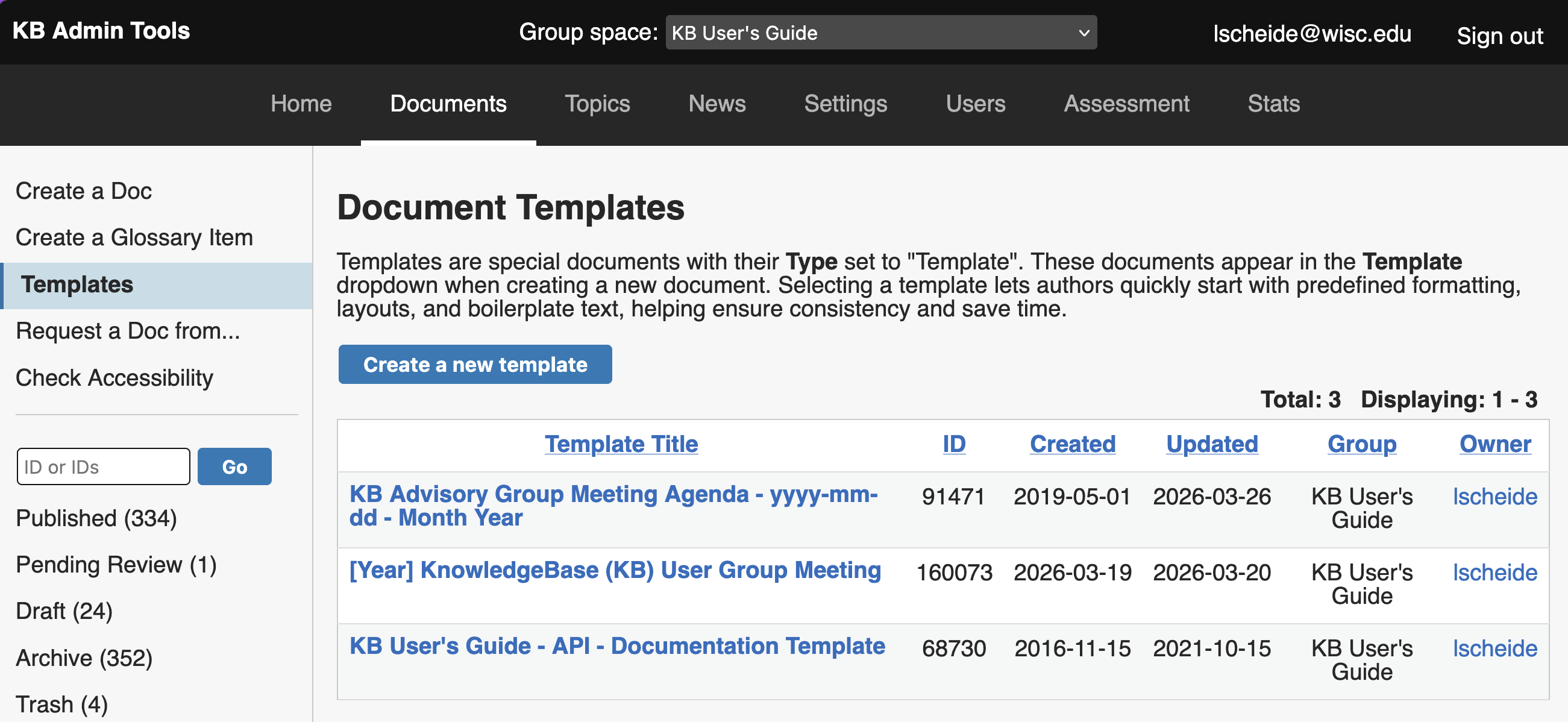
To view a list of all your existing templates in the KB Admin Tools, go to the Documents tab, then click the Templates link in the side navigation.
-
Select the template you want to change and click the Edit button to open the edit screen.
-
Select Save Draft when saving a template—you typically don't want to publish templates for end users.
Best Practices
-
If for some reason you need to publish a template, we recommend setting the Search Priority to "Exclude from Search". This way, a user will not "discover" the template while searching on your live site. The search priority setting is found under Searchability in the side panel of the edit screen.
-
Please know that updates made to a template will not be reflected in documents previously created from that template. To make updates to documents created by a template in bulk, we recommend using the Batch Update tool.