

Save or Move Files to OneDrive
This document walks through the process of saving or moving your files to OneDrive.
Saving Files to OneDrive:
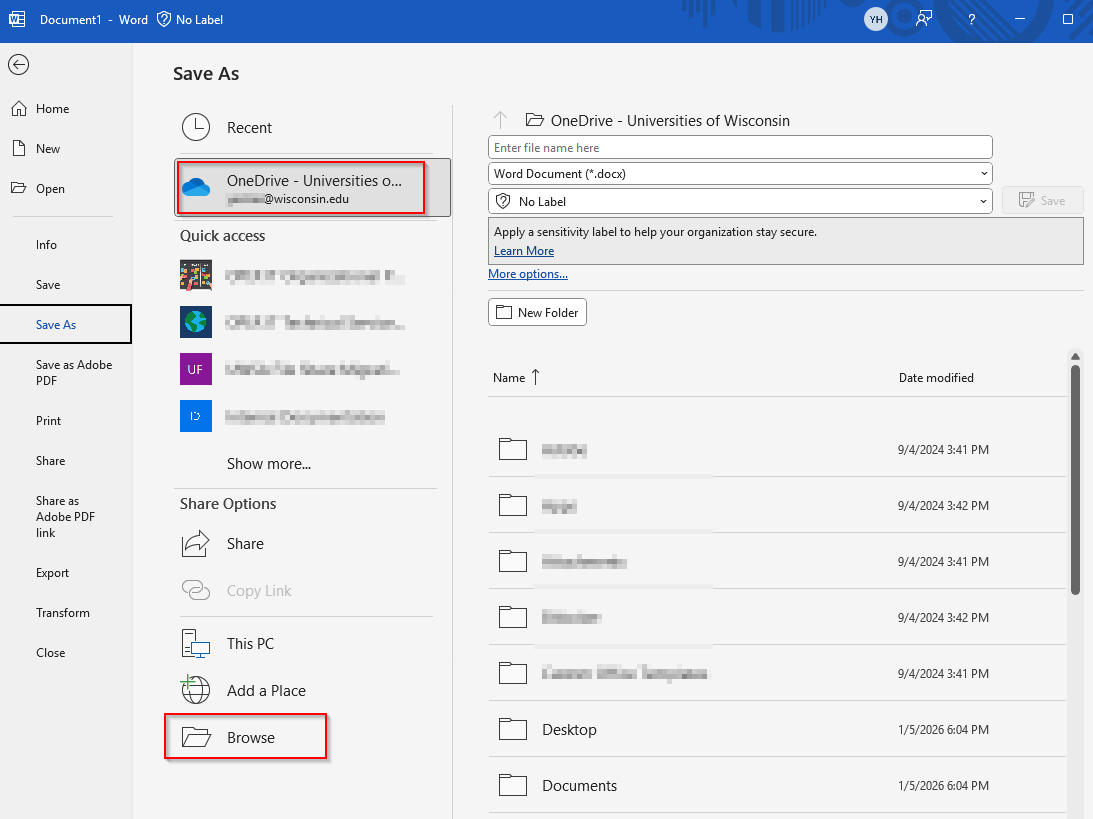
- In your M365 application, go to File > Save As and then select a location to save to.
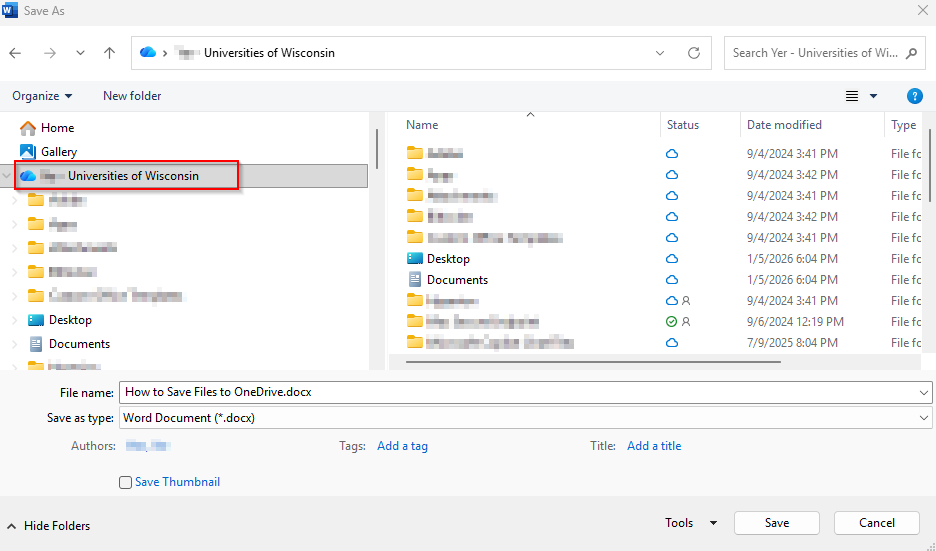
- OneDrive will show up as the default option or as a recent save location. If you do not see it listed there, go to Browse and select the OneDrive folder location.
Moving Files to OneDrive:
- Open File Explorer and find your file(s) you want to move.
- Copy the files and go to OneDrive (yourname – Universities of Wisconsin) in File Explorer.
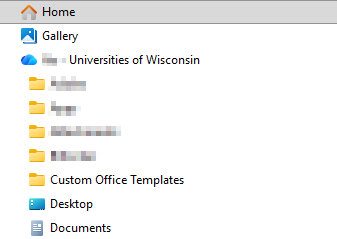
- Locate folder you wish to copy files to and paste your files.