

UDOIT - Tidy Up Produces Error when Scanning a Course
At the Universities of Wisconsin, Tidy Up is used to scan courses for old, unused content. Occasionally instead of returning a report, the page will produce a page displaying a series of errors.
The error page references an "Undefined index" and "Trying to access array offset on vallue of type null."
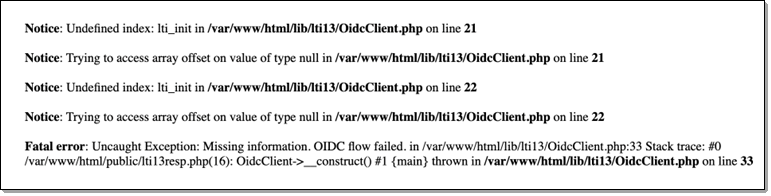
There are several methods that have proven successful at clearing the error. Instructions for completing them are listed below.
Clear Cache and Cookies
Use the links below to access the instructions for clearing Cache and Cookies in the browser you are using.
- Google Chrome
- Microsoft Edge
- Mozilla FireFox
- Safari
Note: When using Safari, preventing cross-site tracking can also produce the error. You may need to turn this setting off. Please see the Apple support page on preventing cross-site tracking for more information.
ReAuthorize CidiLabs Products
Resetting your access to Tidy Up and other CidiLabs products can clear the error.
- Click your Canvas Account > Settings

- Scroll down to Approved Integrations.
- Remove the approval by clicking the trashcan next to any item that includes "Cidi Labs" in the App column.

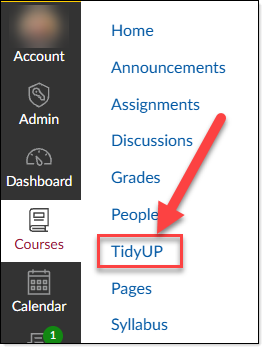
- Return to a course and click the Tidy Up link on the left Navigation.
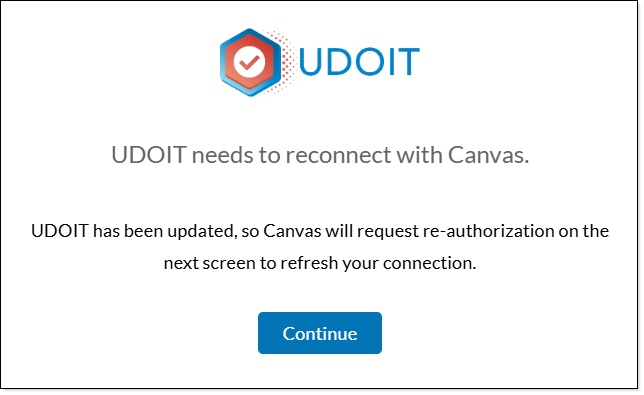
- When prompted, click the Continue button.
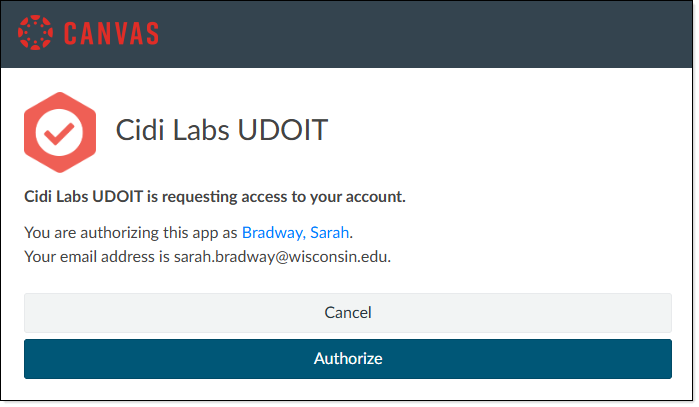
- When prompted, click the Authorize button.
- Tidy Up produce a normal report.